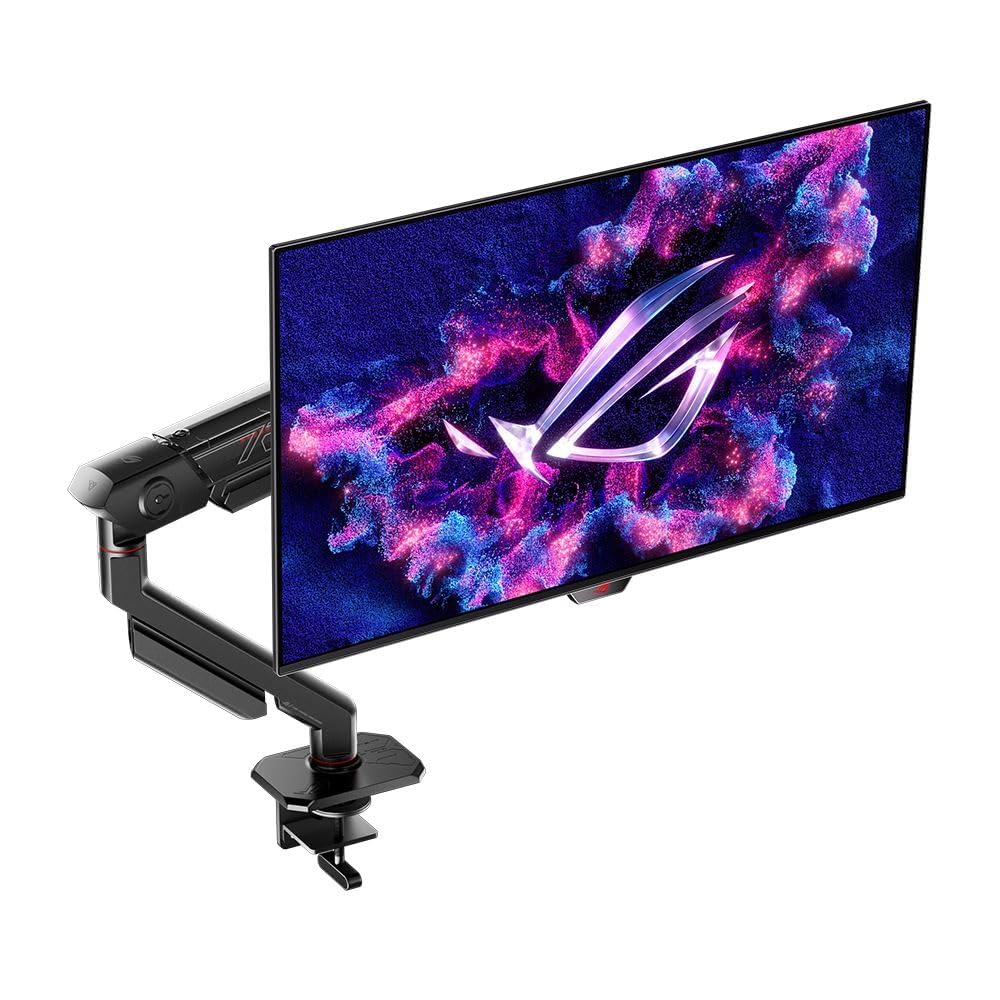
Gaming monitors in 2026 pack higher refresh rates, faster response times, and wider color gamuts into ever more affordable packages, making smooth, immersive play accessible beyond high-end rigs. We’ll look specifically at Asus’s low- to mid-range gaming monitors—models that prioritize refresh rate, adaptive sync, and sensible resolution choices over flagship extras—because they often deliver the best value for players balancing performance and budget.
When choosing one of these monitors, the most important factors are refresh rate and pixel response, followed by panel type and adaptive-sync compatibility; a higher refresh rate with low gray-to-gray response time and proper synchronization (G‑Sync Compatible or FreeSync) yields the clearest, most responsive gaming experience for most buyers. We tested and compared several Asus options to identify which low- and mid-end models offer the best balance of smooth gameplay, color fidelity, and price, and next we’ll show the top picks and what to look for in the buying guide.
Best 2026 Asus Gaming Monitors (Low to Mid-End)
We picked the most promising Asus gaming monitors for 2026 that balance performance, features, and price across low- to mid-end segments. Our list highlights models that deliver strong refresh rates, adaptive sync, and solid color accuracy without reaching premium price points.
ROG Strix XG27ACS (ASUS)
We recommend this if you want a smooth 1440p experience with solid color and USB-C convenience without paying flagship prices.
Pros
- Crisp 1440p image with very fluid motion at high frame rates.
- USB-C makes a tidy single-cable desk setup possible.
- Fast IPS delivers responsive gaming with accurate colors for content work.
Cons
- HDR feels limited because there’s no local dimming.
- Contrast stays typical of IPS — blacks aren’t deep.
- Stand and menu quirks require small ergonomic or software adjustments.
We used the XG27ACS for several nights of mixed gaming and editing, and the difference from a typical 1080p panel is immediately obvious. Text and UI elements look more refined, and fast-paced shooters feel noticeably smoother once you push beyond 120Hz.
Color reproduction impressed us for the price class; skin tones and game environments looked natural without oversaturation. The included DisplayWidget made quick OSD tweaks painless when we wanted changes without cycling through menus on the monitor itself.
HDR brightness gives a pleasing pop in compatible titles, but don’t expect OLED-level contrast or dramatic HDR highlights. We found scenes that rely on deep blacks still looked washed compared with VA or OLED panels, so set expectations accordingly.
The USB-C input simplified connecting a laptop and peripherals; we enjoyed a cleaner desk and instant display over a single cable. Build quality felt solid during setup, though we did tweak the stand and bent toward using a VESA arm for finer height and swivel control.
Overall, this monitor hits a sweet spot for users who want fast performance, sharp 1440p visuals, and modern connectivity without stepping into high-end pricing. For our multi-use setup of competitive gaming and occasional color work, it delivered consistently.
ROG Strix 27” OLED (XG27AQDMG)
We recommend this if you want a vivid 1440p OLED experience with high refresh for fast-paced play and can live with glossy reflections and OLED trade-offs.
Pros
- Stunning contrast and deep blacks that make games pop.
- Extremely fluid motion at high refresh rates.
- Built-in cooling and care features that lower burn‑in worry.
Cons
- Glossy surface picks up reflections in bright rooms.
- Color fringing can appear on certain hues near white.
- OLED still requires some care for static UI elements.
We fired this up across shooters and narrative titles and the image struck us immediately — colors and blacks are on another level for a 1440p panel. Motion felt absurdly smooth at 240 Hz, and the 0.03 ms responsiveness translated to very tight input feel in competitive matches.
Daily desktop use showed the glossy finish’s downside: windows and lights reflect more than on matte screens, so placement matters. We noticed slight fringing when bright yellows sat beside whites; it didn’t ruin gameplay but was noticeable in color-critical scenes.
Asus’ custom heatsink and OLED Care settings eased our burn-in concerns during long sessions. The monitor still needs reasonable habits — avoid static elements at max brightness — but the added cooling and anti-flicker tech make it easier to live with an OLED for mixed use.
Pick this if you prioritize image quality and speed and can control ambient light; link to buy: ROG Strix 27” OLED (XG27AQDMG).
ROG Swift PG27AQDM-R (27″ OLED QHD)
We recommend this if you want blistering OLED responsiveness and vivid HDR in a 1440p gaming monitor.
Pros
- Exceptionally fast response and fluid motion for competitive play.
- Deep blacks and punchy HDR colors that make games and movies pop.
- Thoughtful thermal design reduces burn-in risk compared with typical OLEDs.
Cons
- OLED longevity still requires mindful usage habits.
- High-end features come with a premium price.
- Some users may miss louder built-in speakers or extra connectivity.
We pushed this monitor through several multiplayer sessions and cinematic single-player titles. The 240 Hz panel and near-instant response made motion feel immediate; aiming and tracking felt noticeably crisper than on our previous 60 Hz displays.
Colors and contrast impressed us in both dark corridors and bright outdoor scenes. HDR highlights sing without blowing out details, and the anti-glare coating kept reflections in check during daylight streaming.
Setup felt solid and the included arm makes finding the right height and angle quick. We noticed the monitor stays cooler under long sessions thanks to the custom heatsink, though we still rotated content and used screen savers to be cautious about burn-in over months of heavy use.
Buying Guide
We prioritize the features that affect everyday gaming and value. Focus first on panel type, resolution, and refresh rate because they determine image quality and smoothness.
We check size and pixel density to match desk space and viewing distance. Larger screens can enhance immersion, but higher pixel density keeps text and UI crisp.
We compare refresh rate and response time for competitive play. Faster refresh rates reduce motion blur; low response times help with ghosting and input feel.
We evaluate adaptive sync support and input options for smooth, compatible setups. Multiple HDMI/DisplayPort inputs and USB hubs increase flexibility for consoles and peripherals.
We assess color accuracy and HDR capability if visual fidelity matters to us. Look for measured color gamut and peak brightness numbers rather than marketing terms.
We weigh ergonomics and stand adjustability for comfort during long sessions. VESA compatibility and cable management matter for clean, ergonomic setups.
We consider extras like built-in speakers, KVM features, and software that tune profiles. These add convenience but should not override core display specs.
We set a budget range and prioritize features within it. Make trade-offs explicit: prioritize refresh/response for esports, resolution and color for immersive single-player experiences.
Quick checklist
| Feature | Why it matters |
|---|---|
| Panel type | Affects contrast, viewing angles, color |
| Resolution | Determines sharpness and GPU demand |
| Refresh rate | Smoothness in motion |
| Response time | Reduces ghosting |
| Adaptive sync | Prevents tearing |
| Brightness/HDR | Improves highlights and dynamic range |
| Ergonomics | Comfort and mounting options |
| Ports | Compatibility with devices |
Frequently Asked Questions
We highlight specific 2026 ASUS gaming monitors, pricing tiers, and key features such as panel type, refresh rate, and adaptive-sync support. Expect direct answers about models, 4K options, G-SYNC improvements, a notable 27-inch pick, TUF vs ROG value, and the new 720Hz unit.
What are the top budget-friendly ASUS monitors for gaming in 2026?
We recommend the ASUS VA249HE (24″, 144Hz, IPS-like VA) and the ASUS VG258Q2A (24.5″, 165Hz, IPS).
Both target sub-$250 street prices in 2026 and prioritize low input lag, decent color, and competitive refresh rates.
The ASUS TUF Gaming VG279Q2B (27″, 165Hz) sits slightly higher but often falls into budget sales.
It balances ergonomics, adaptive-sync, and factory calibration better than entry models.
Which ASUS gaming monitors slated for release in 2026 support 4K resolution?
ASUS confirmed the ROG Swift PG32UQX2 (32″, 4K, 144Hz mini-LED) and the TUF Gaming VG32UQ4 (32″, 4K, 120Hz IPS).
The ROG model targets enthusiasts with HDR1000+ mini-LED zones; the TUF model focuses on price-to-performance with broader availability.
Both units include DisplayPort 2.1 on higher trims for full 4K@120–144Hz with HDR.
Expect controller-level features like variable refresh and extensive color presets across both lines.
What are the latest advancements in ASUS monitors with G-SYNC technology for 2026?
ASUS improved certified G-SYNC performance by combining Adaptive-Sync over DisplayPort 2.1 and tighter input-lag tuning.
They extended variable refresh windows to lower FPS ranges and reduced microstutter through firmware optimizations.
Several ROG Swift 2026 models include both hardware G-SYNC modules and NVIDIA Reflex Low Latency integration.
This delivers more consistent frame pacing in competitive titles.
Can you recommend a 27 inch ASUS gaming monitor that’s making waves in 2026?
We recommend the ASUS ROG Strix XG27UQ (27″, 4K, 240Hz) as the standout 27-inch model.
It marries true 4K at competitive refresh rates with full HDR support and a fast IPS panel.
For a more budget-conscious 27-inch, the TUF Gaming VG27Q3A (27″, 240Hz, QHD) offers excellent competitive performance for under $450.
It emphasizes low response times and factory-tuned color without the premium 4K cost.
Between ASUS TUF and ASUS ROG series, which offers better value for gaming in 2026?
We find TUF offers better value when prioritizing price-to-performance and volume availability.
TUF models typically deliver solid panels, high refresh rates, and reliable adaptive-sync at lower MSRP.
ROG targets feature-rich builds—mini-LED, higher HDR peak brightness, and advanced chassis features—making it better for enthusiasts who accept higher cost.
Choose ROG for cutting-edge specs; choose TUF for balanced cost and performance.
How does ASUS’s new 720Hz monitor compare to their other 2026 gaming monitor offerings?
The ASUS ROG Swift 24.5″ 720Hz (competitive esports-focused) prioritizes minimum latency and fastest pixel transitions.
It outperforms other models in input responsiveness but uses a lower-resolution TN/fast IPS hybrid panel for extreme speed rather than image fidelity.
Other 2026 ASUS monitors trade raw frame rate for higher resolution, better HDR, and improved color accuracy.
Pick the 720Hz unit only if you play top-tier esports titles where every millisecond and frame rate edge matters.

Ahaa, its nice conversation regarding this paragraph at this place
at this weblog, I have read all that, so now me also commenting at this place.
It’s going to be ending of mine day, however before finish I am reading
this enormous article to increase my knowledge.